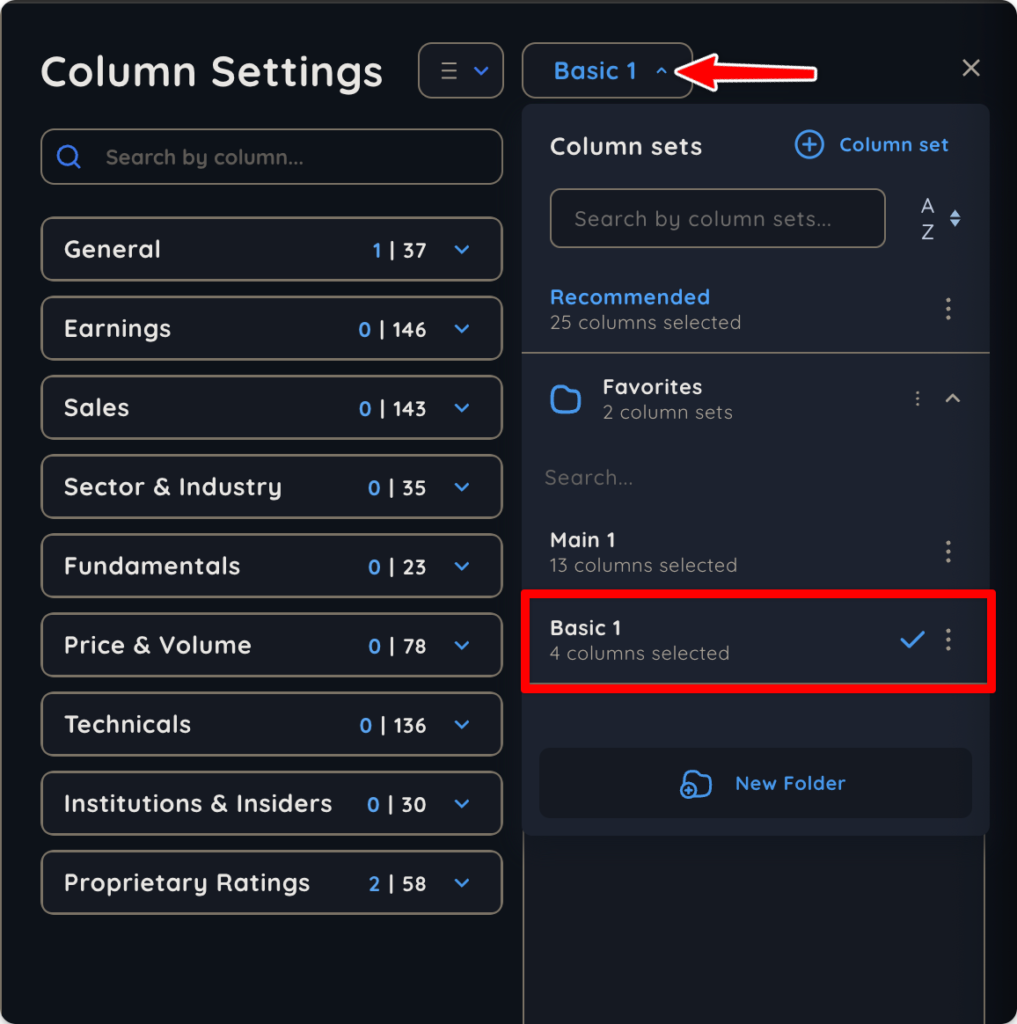
What is the Default Column Set?
- Deepvue’s default column set is called the “Recommended” column set, and it features 25 different criteria that are considered important for the everyday investor or trader.
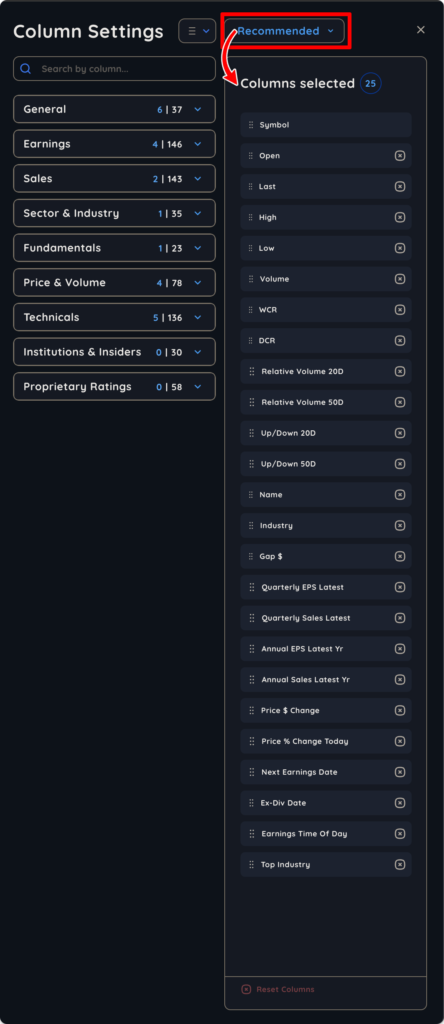
How to Create and Save a Custom Column Set
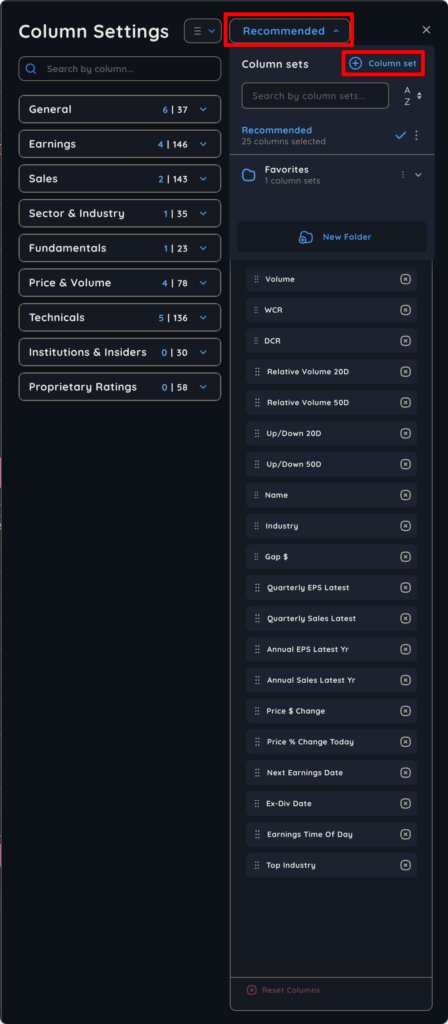
- Open the dropdown menu at the top right corner of your screen, immediately to the right of column Settings. Then, click “+ Column set.”
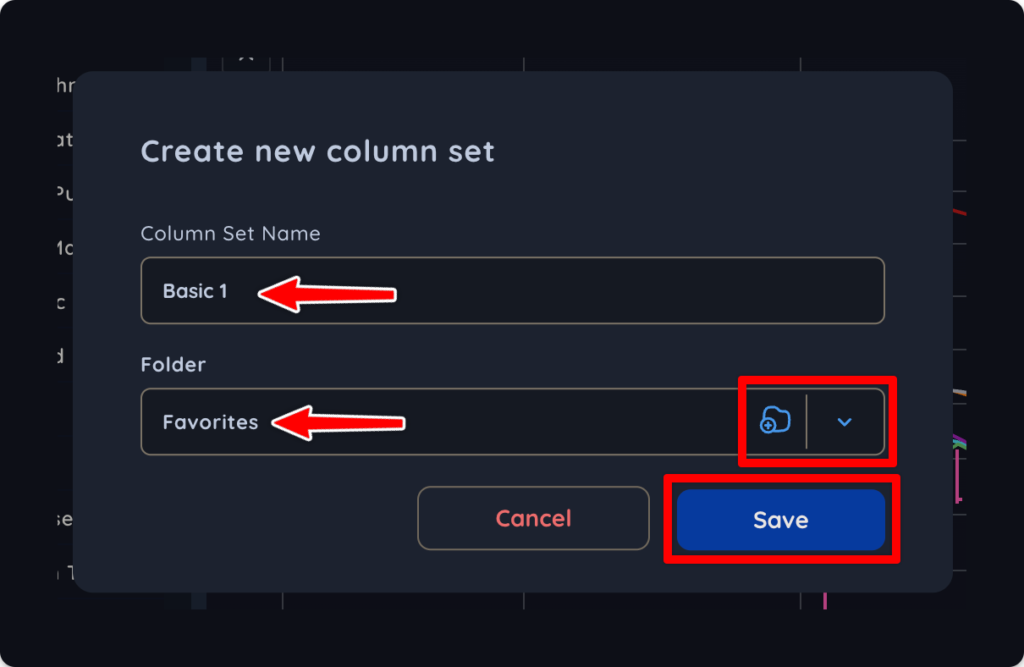
2. In the pop-up that appears, name your column set, select or create a folder to save it in, and click save.
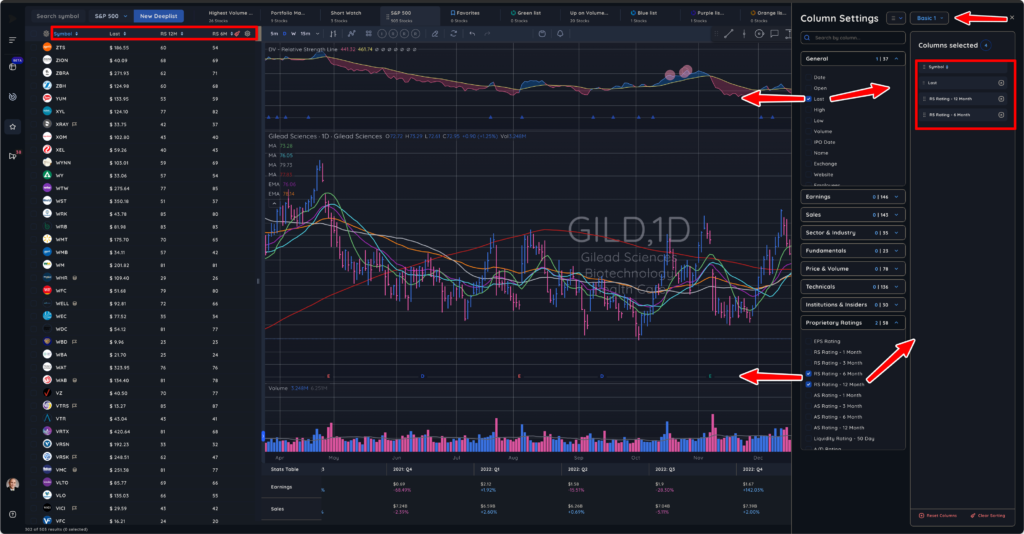
3. Now, select and arrange all of your desired column set data in the order you want to see it. Finally, close your Column Settings panel and everything will save automatically.
Switching Between Column Sets
- Click the dropdown menu next to Column Settings and then select your column set by clicking on it.