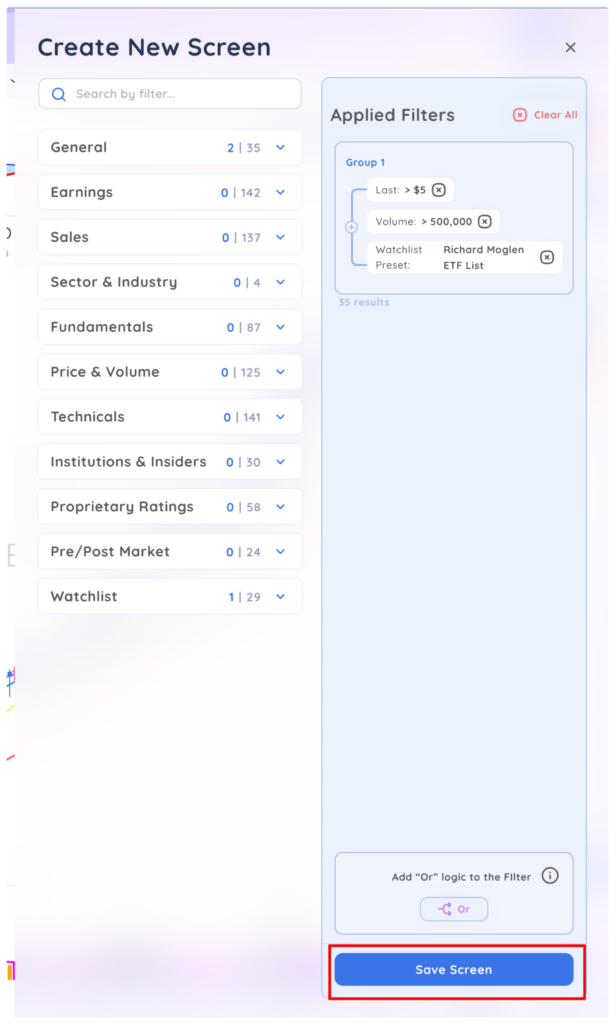
In the screener you can build a custom Universe to screen by adding any watchlist, preset watchlist or combo list as a filter for your screener.
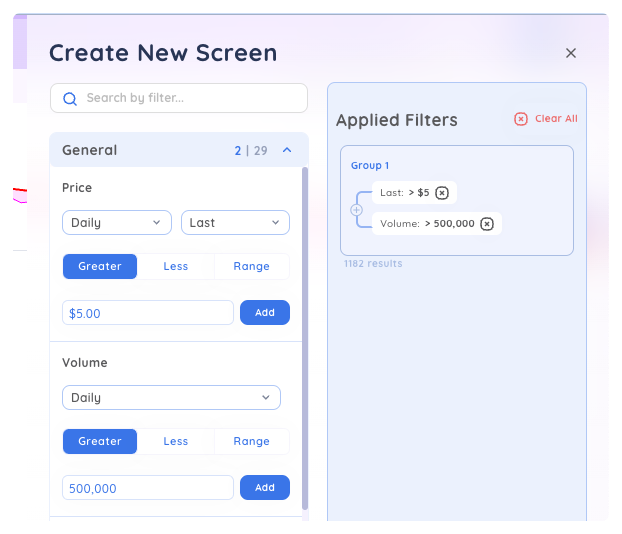
To get started, add your basic price and volume filters to group 1
Then open the Watchlist filter category and select the watchlists you want to screen from
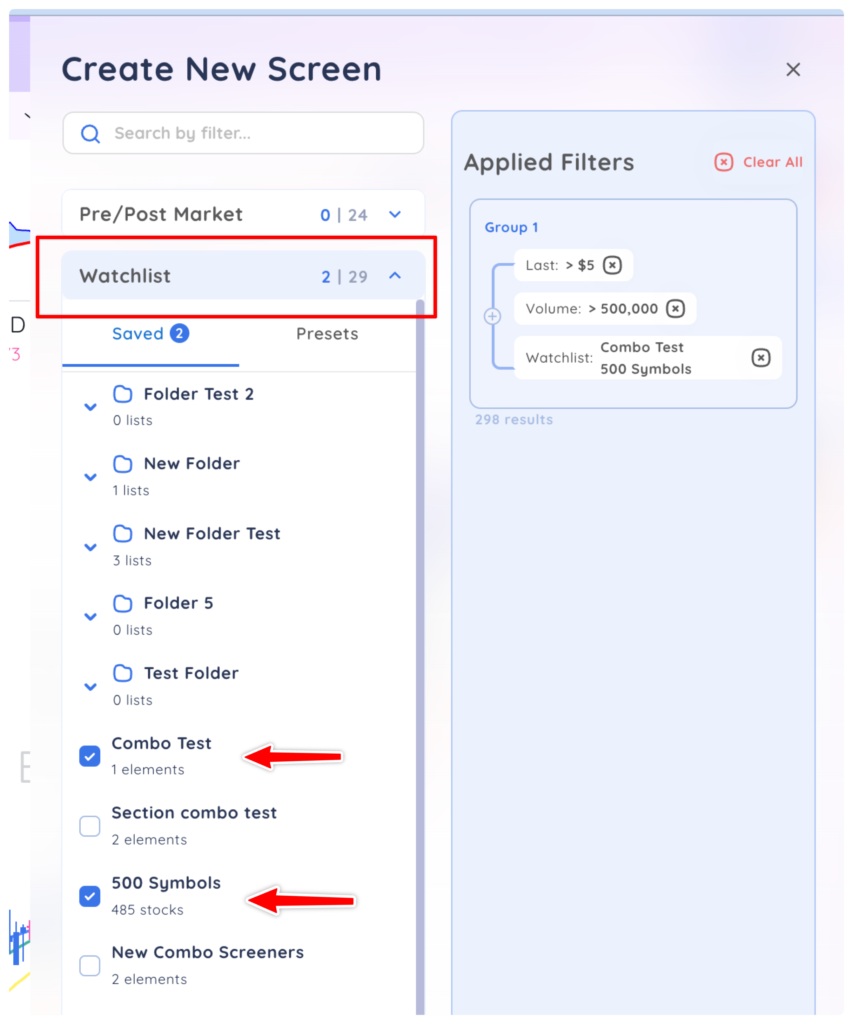
In this example our screen is now screening for stocks over $5, over 500,000 daily volume that are in our ‘500 Symbol’ list and our ‘Combo Test’ list.
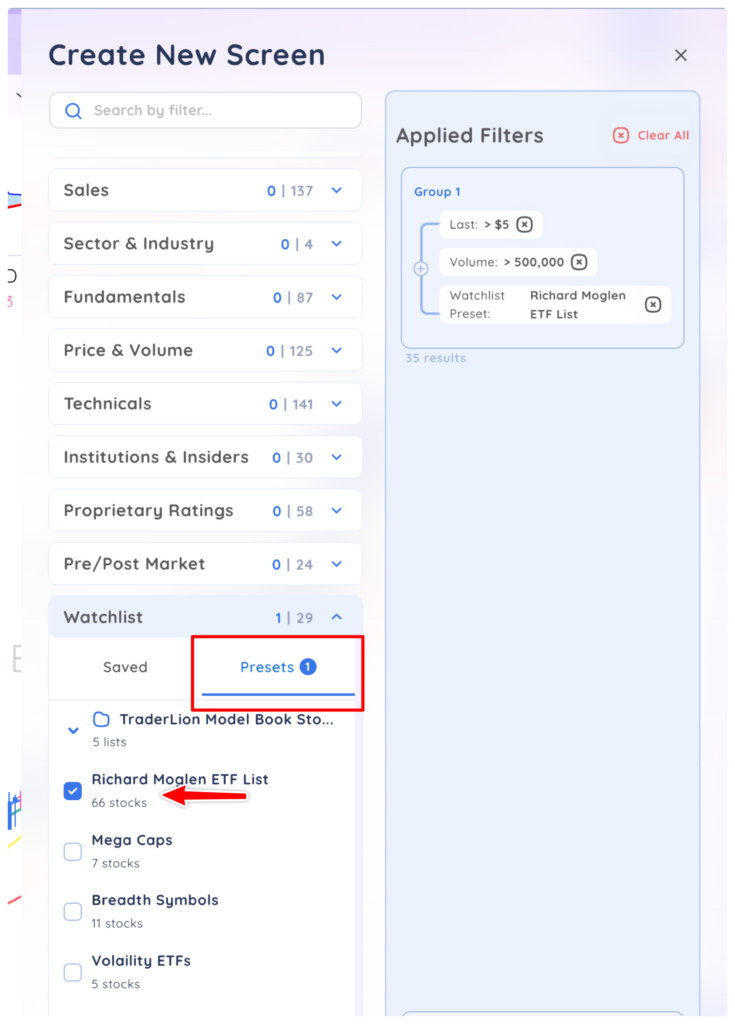
You can do the same thing with preset watchlists by selecting any preset list from the presets tab
When you are finished, click Save Screen to save it as a custom screen