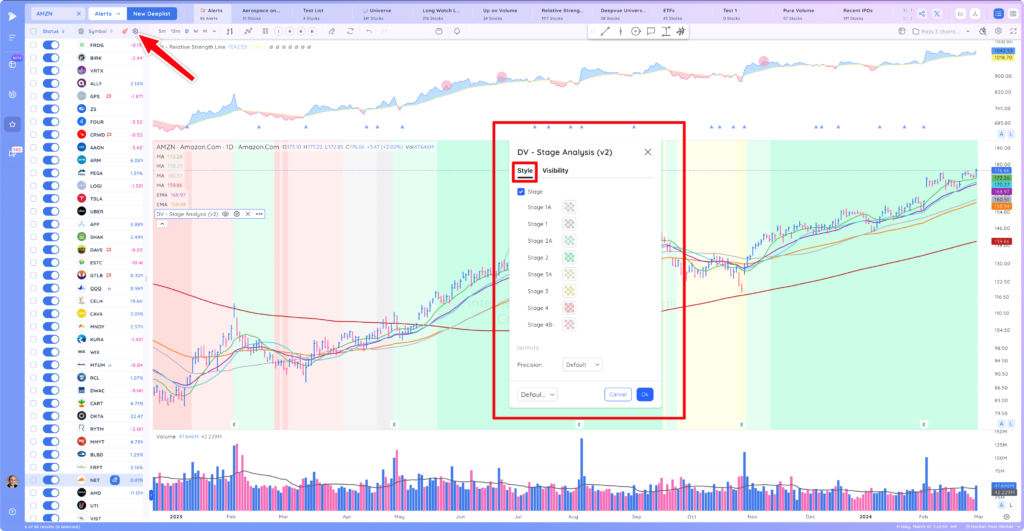
DV Stage Analysis Indicator
- The DV Stage Analysis Indicator gives its user the ability to easily determine which Stage a stock’s base is in, according to Stan Weinstein’s approach.
- The Stage 1 or the “Basing” stage is a period of consolidation. The stock price is not trending up or down significantly but rather moving sideways, potentially building a base for the next move.
- The Stage 2 or the “Advancing” stage is the uptrend period, which is a bullish phase where the stock price is rising. This stage is identified by bright green on the Deepvue Stage Analysis Indicator.
- The Stage 3 or the “Distribution” stage is a period where the stock’s upward trend starts to slow down and begins to move sideways again. This stage often acts as a precursor to a potential downtrend, and is represented by pale yellow or pale green on the indicator.
- Finally, the Stage 4 or the “Declining” stage is a bearish phase where the stock price is falling. The indicator highlights this as a downtrend period in bright red.
DV Stage Analysis Indicator Settings
- Settings can be accessed by double clicking on the indicator, or its associated ‘settings’ icon.
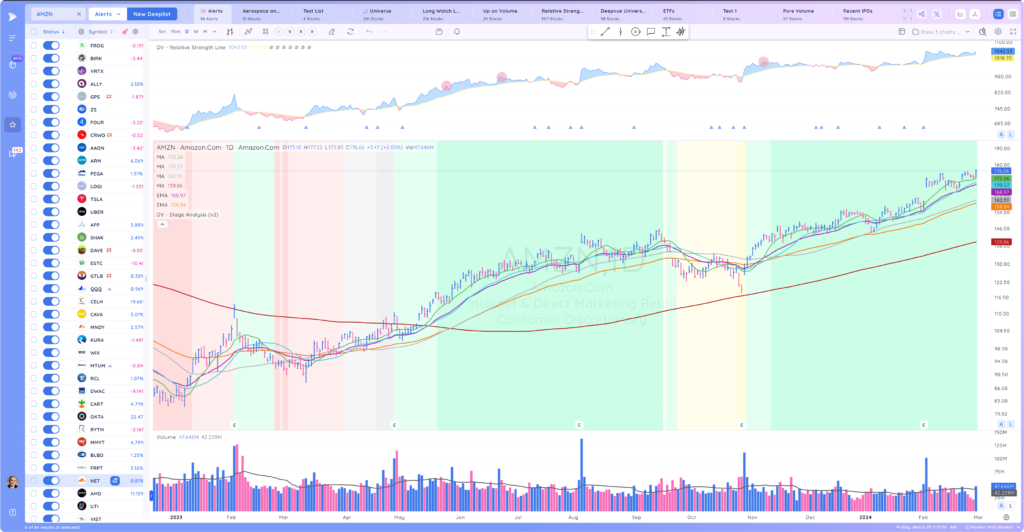
- This indicator can be turned on or off in each of the chart’s panes. In the chart below it is only turned on in the price pane.
Style