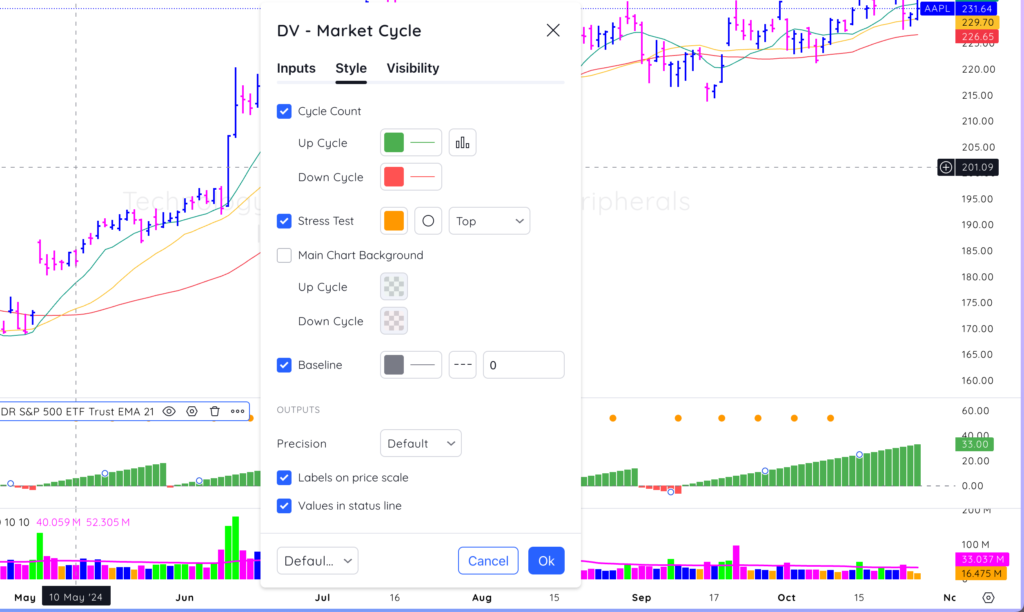
The Deepvue Market Cycle indicator helps track market cycles based on the index movement. It automatically counts up during an uptrend and starts a negative count when the indexes pullback below a specified moving average.
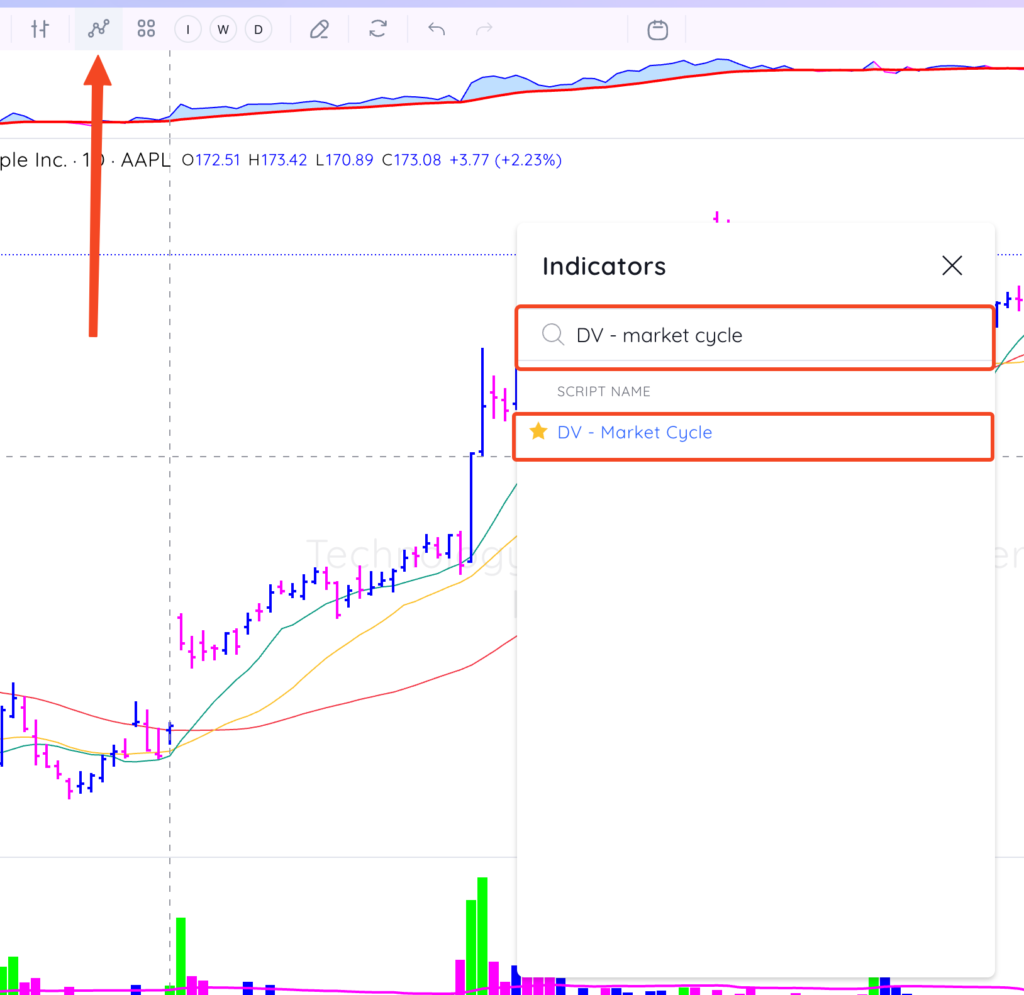
To add the Market Cycle indicator to your chart, search DV – Market Cycle in the indicators menu, then click the indicator to add it to your chart. Select the star to ‘favourite’ the indicator.
Key Features:
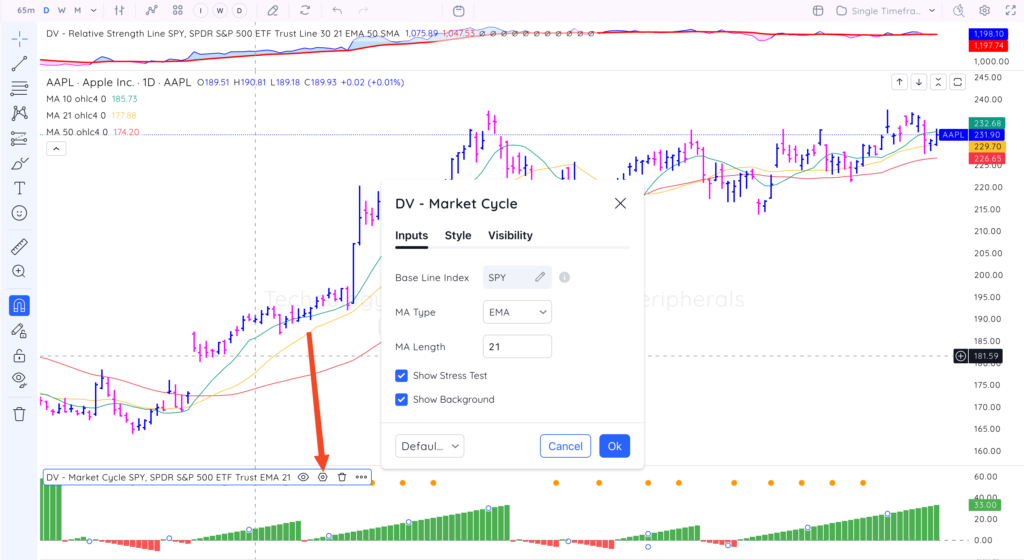
- Pre-Configured Logic: Uses built-in settings to increment counts with market trends. Default baseline index is SPY.
- Customizable Moving Averages: Choose between SMA (default 21-day) or EMA.
- Stress Tests & Visuals: Includes built-in stress test markers for expected pullbacks.
You can customize the colours and styling of the indicator and turn on/off certain features on the Style tab.
- Customize the cycle count colour and style
- Toggle on/off the stress test marker and customize the type and location of the marker
- Change background colours and the baseline (zero line) style.