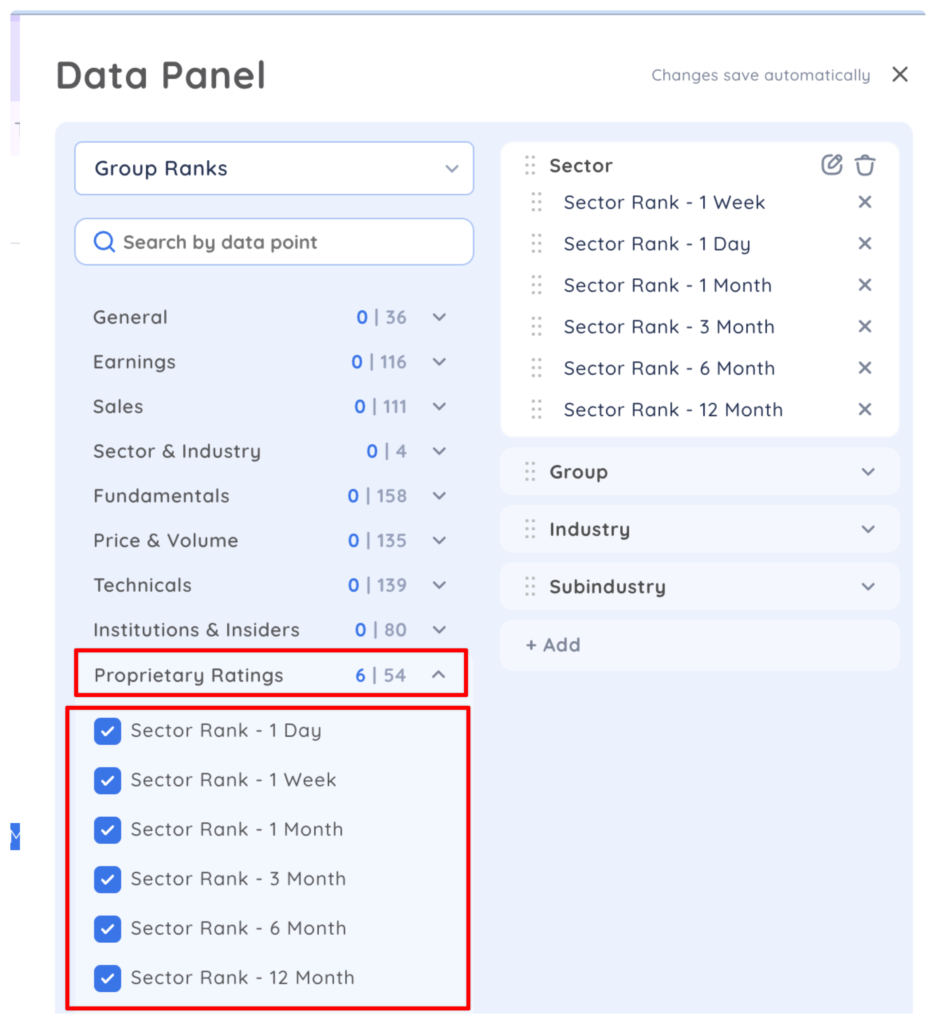
To see the top ranked Sector, Group, Industry or Subindustry over various timeframes and all the stocks in those categories, add any of the proprietary Sector, Group, Industry or Subindustry ranks to your data panel.
Open your data panel, enter edit mode and select a category or create a new one. From the Proprietary Ratings, add Sector, Group, Industry or Subindustry rank for your preferred timeframe. In this example, we have added Sector Rank on all timeframes to the Sector category.
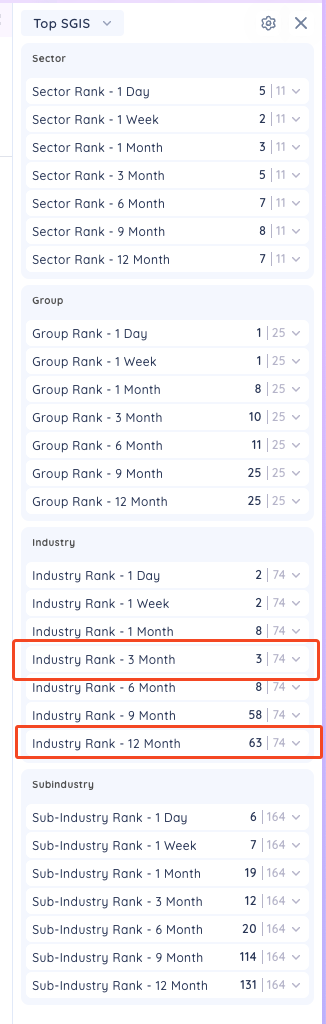
When you select any symbol from your watchlist or screener, the data panel will show the rank out of the total number of Sector, Group, Industry or Subindustry that symbol belongs on various timeframes. In this example, TSLA is part of the Automobile Industry Group. The Automobile Industry is currently ranked 3 of 74 Industry Groups on a 3 month timeframe and 63 of 74 on a 12 month timeframe
To explore the top Sectors, Groups, Industries or Subindustries, click the arrow to expand the list. You can now see all Sectors, Groups, Industries and Subindustries ranked according to the timeframe and see the number of stocks in each category.
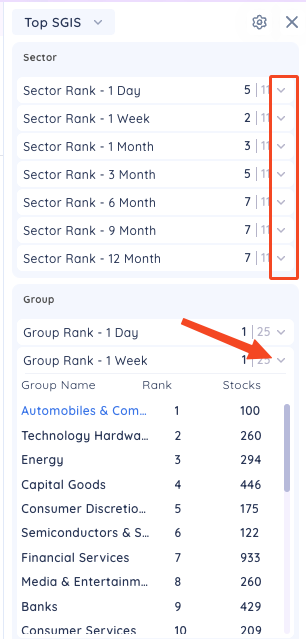
Click the name of a particular Sector, Group, Industry or Subindustry to see all list of all the stocks in that category.
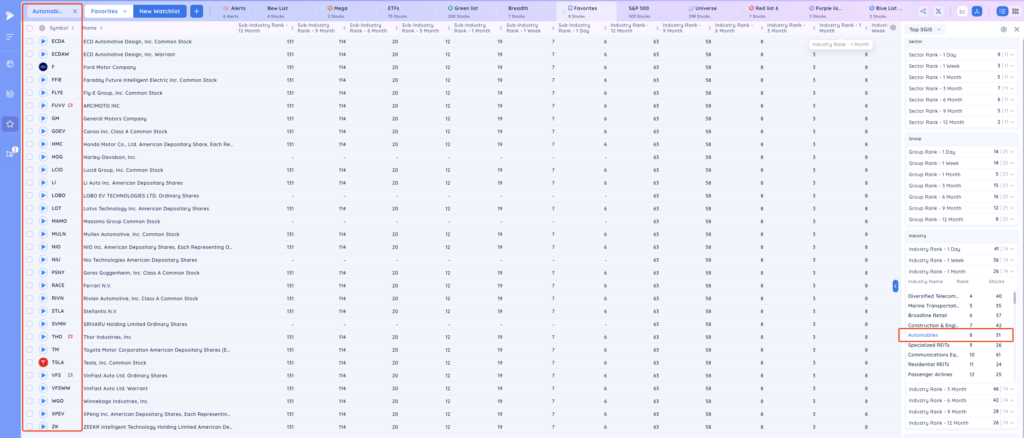
To return to your watchlist or screen results, click the X in the search bar.
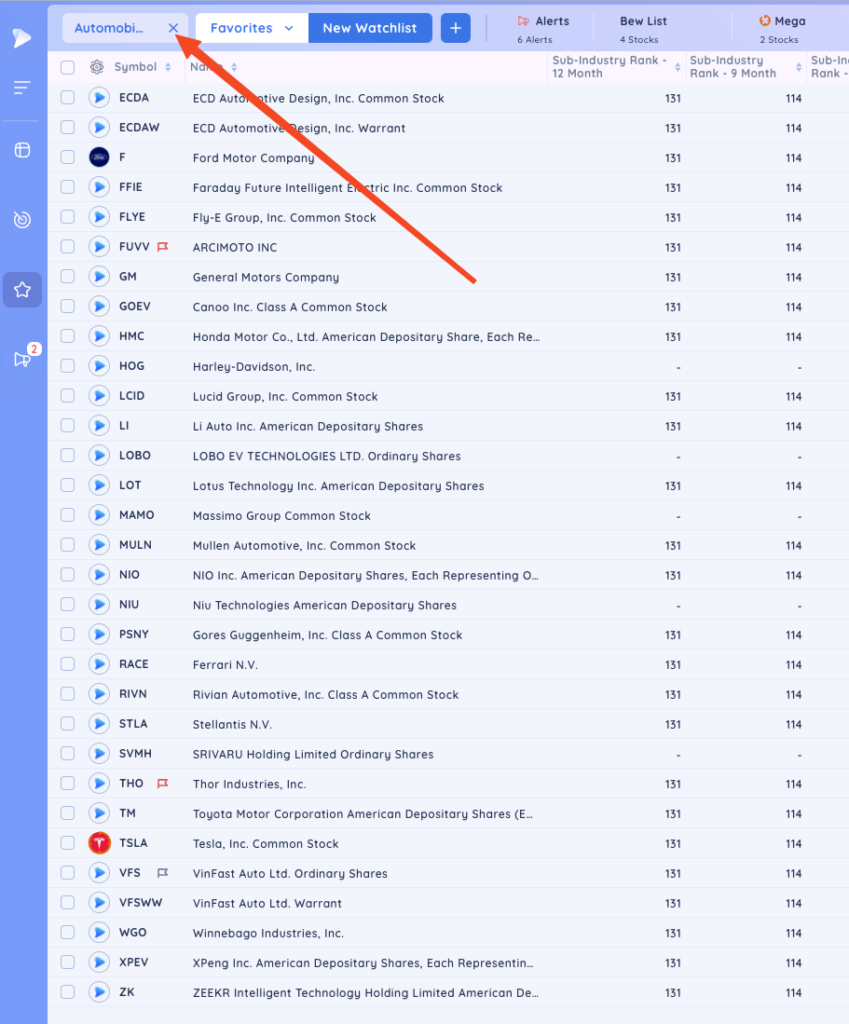
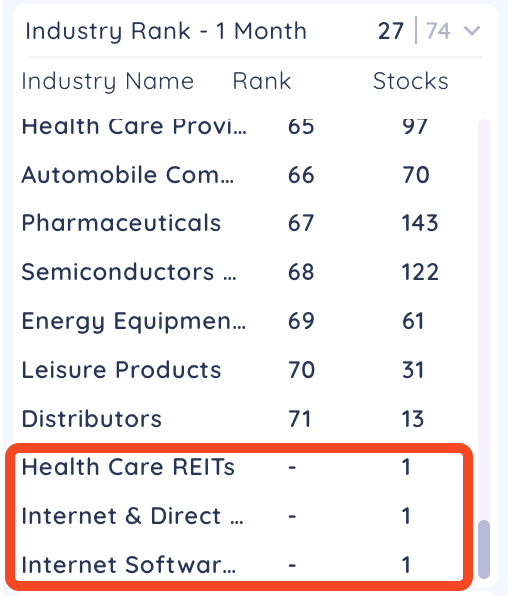
Note: If a Sector, Group, Industry or Subindustry has stocks in it that do not meet the minimum requirements for our proprietary ranking calculation, then the group will not be ranked and it will show a (-) in the Data Panel. The ranking calculation has minimum thresholds for average dollar volume and price.