
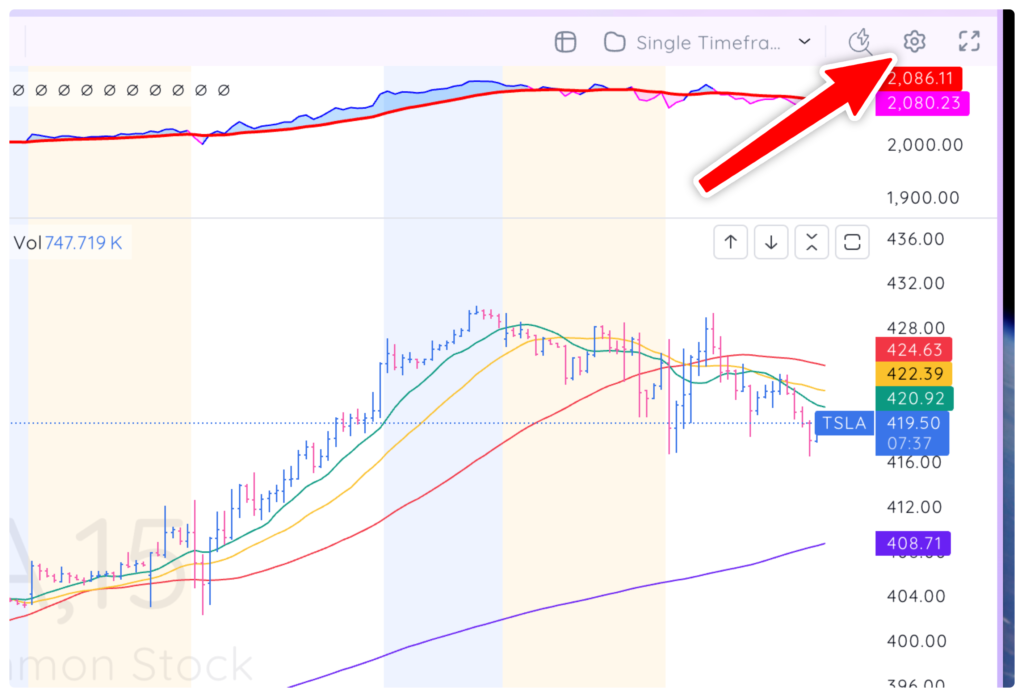
To access the pre- and post-market data settings, you must first be on an intraday timeframe before opening the settings menu. Click the chart settings gear icon at the top right corner of your screen.
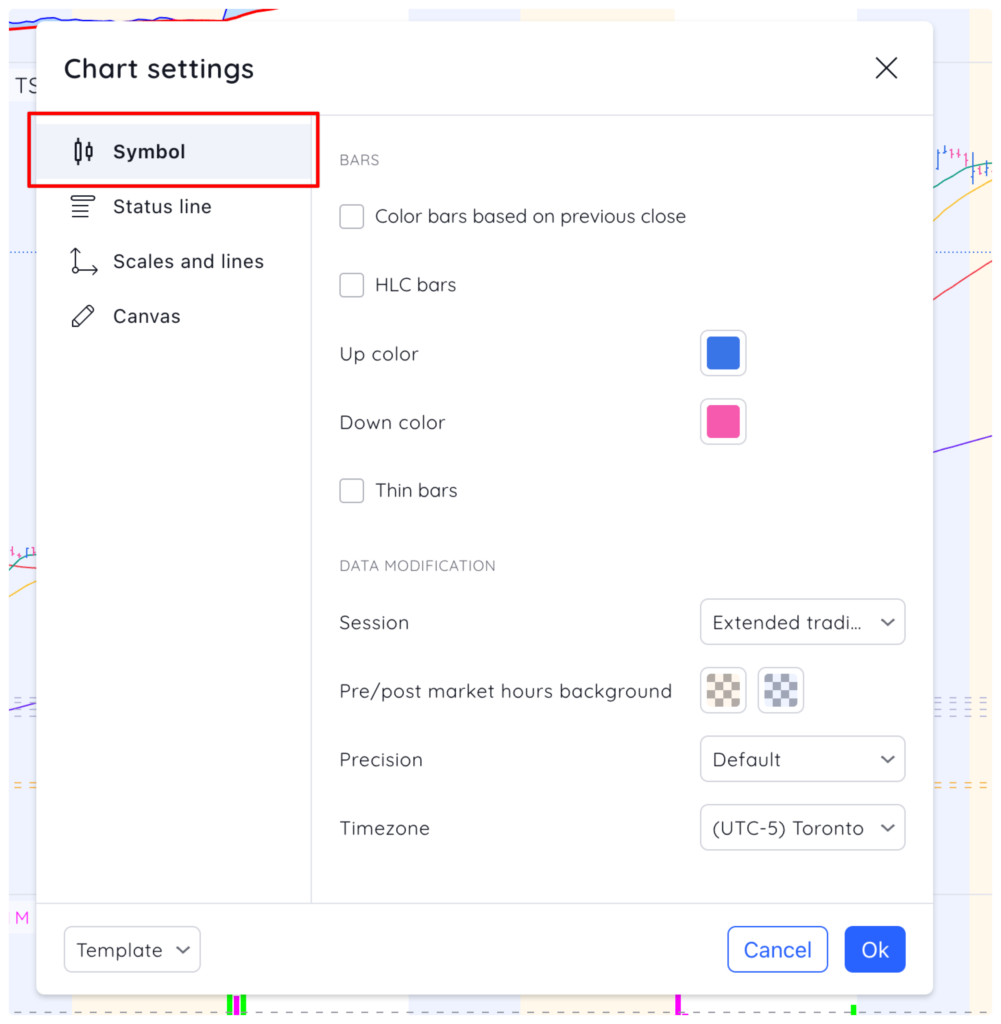
Go to the Symbol tab in the chart settings menu.
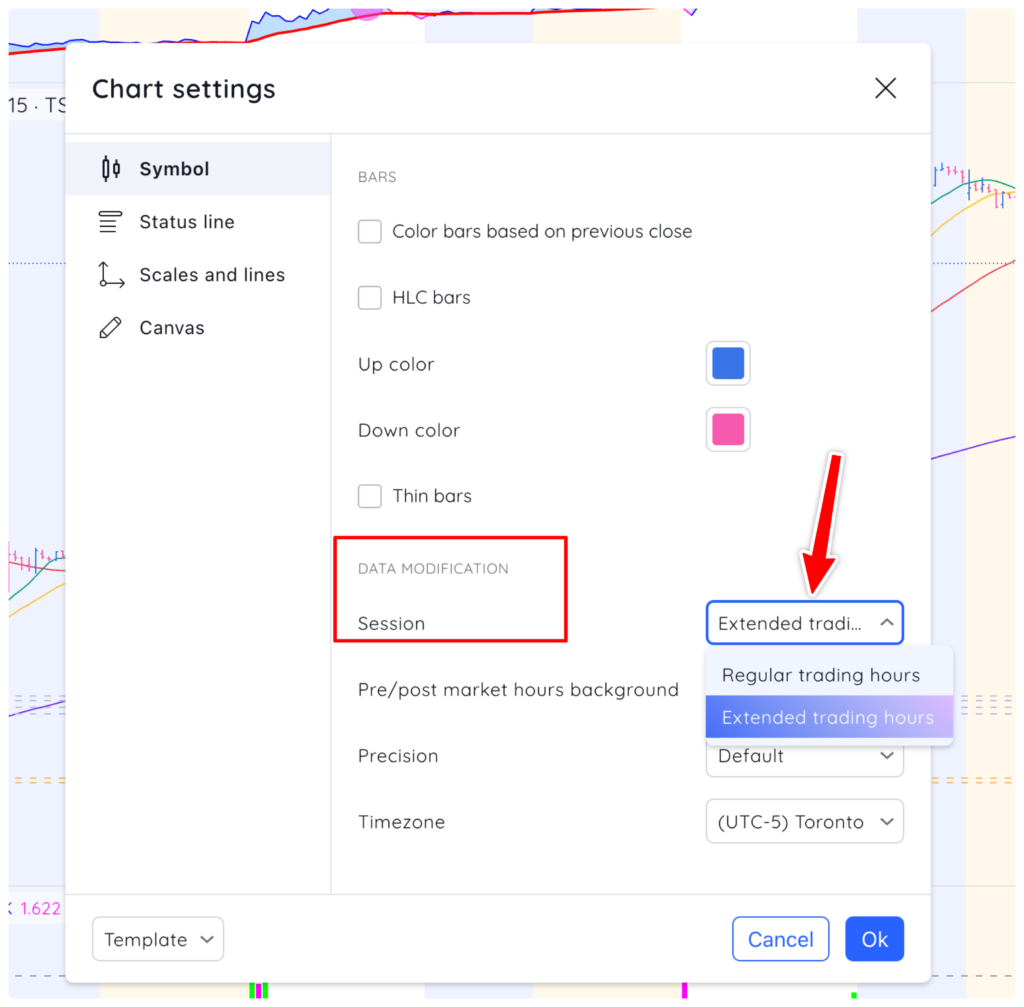
Under data modification, next to session, open the drop down menu and select Extended Trading Hours to see Pre market, Regular market and Post market data on your chart. Change it back to Regular Trading Hours to only see Regular market data.
Remember: This setting is only available on intraday timeframes. It will not appear in the chart settings menu if you are on a Daily or higher timeframe.