What are Coloured Lists?
Deepvue’s Coloured Lists enhance stock tracking by offering color-coded lists to help users prioritize and manage their Watchlists, unlike a regular Watchlist. This feature helps users quickly and easily identify priority stocks, ensuring they don’t miss key opportunities.
How to use Coloured Lists
Click on the logo to the left of a stock’s symbol to access the dropdown menu. You will see 8 icons across the top of the menu. The second through seventh colored icons are the different coloured lists while the first grey icon is to remove a stock from a coloured list
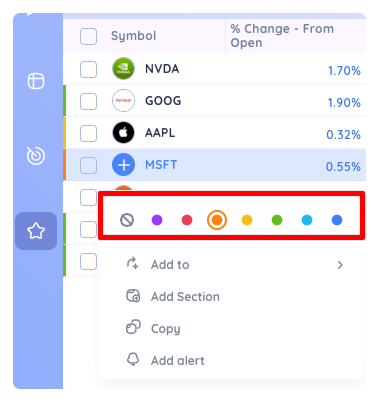
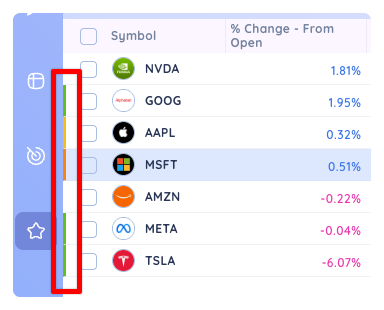
Choose a coloured list to add the symbol to that list. You will then see the color you chose to the left of the row. These coloured bars appear everywhere in Deepvue next to a symbol that has been assigned to a coloured list.
Managing Coloured Lists
Coloured lists are default lists and cannot be deleted.
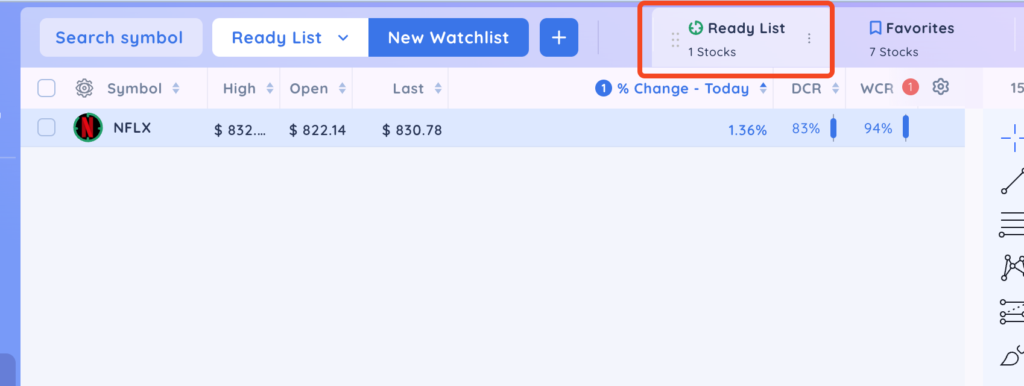
However, you can bookmark them to add them to the header as a tab like any other watchlist and edit the name of the list.
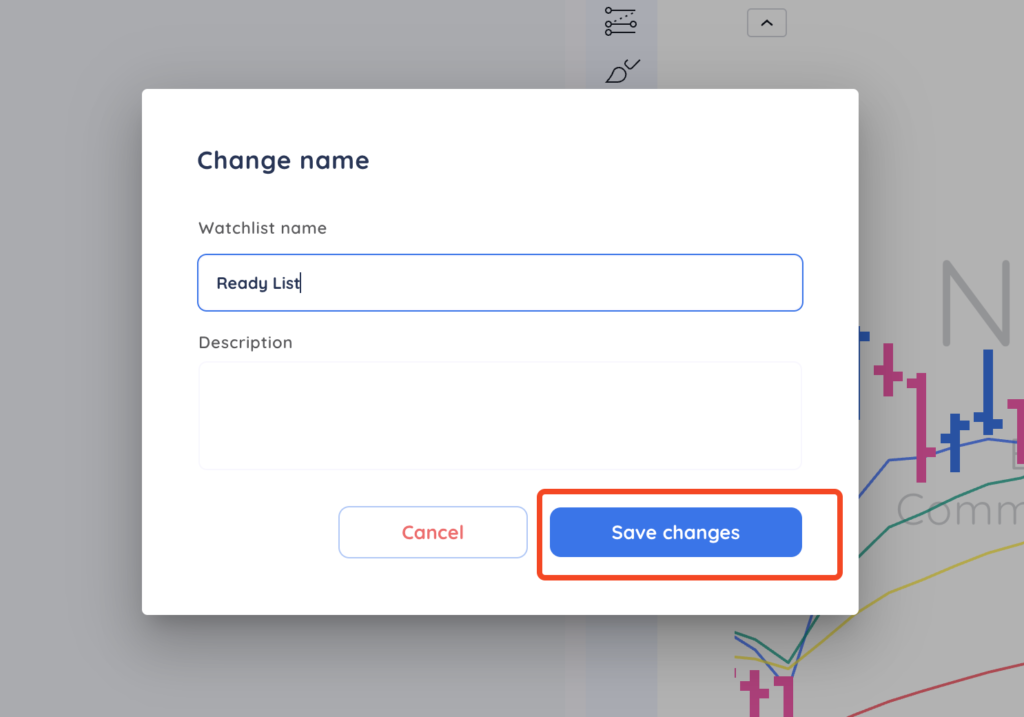
To rename a coloured list, click on the 3 vertical dots to the right of your coloured list and select ‘Edit.”

In this example, we changed the name of the Green List to Ready List. Then click ‘Save changes.’
3. The name is then updated to ‘Ready List’ at the top of your screen.