
Within the My Dashboard drop down menu, you can drag and drop your dashboards to organize them. Simply click and hold the drag and drop icon, then drag the dashboard to where you want it in the list.

You can also drag and drop to add dashboards to folders. Click and hold the drag and drop icon, then drop the dashboard into a folder.

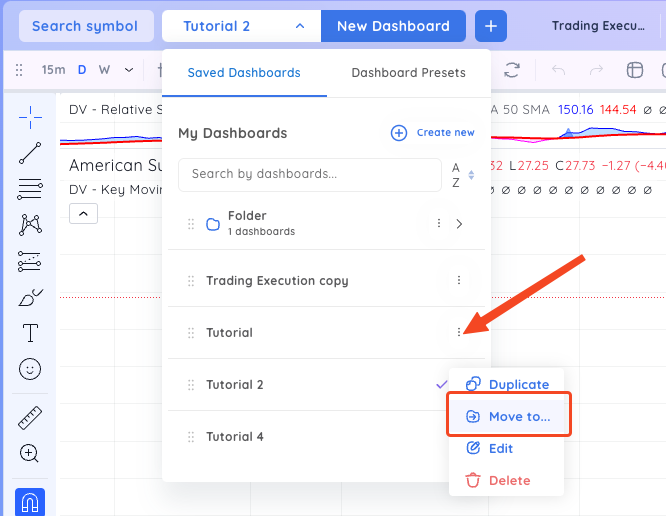
Alternatively, you can click on the three vertical dots next to a dashboard and select Move To. In the pop-up select the folder you want to move the dashboard into.
Remove a dashboard from a folder by drag and dropping it back into the main list.

Or you can click the three vertical dots next to a dashboard that is inside the folder and select Remove to move it back to the main list.
