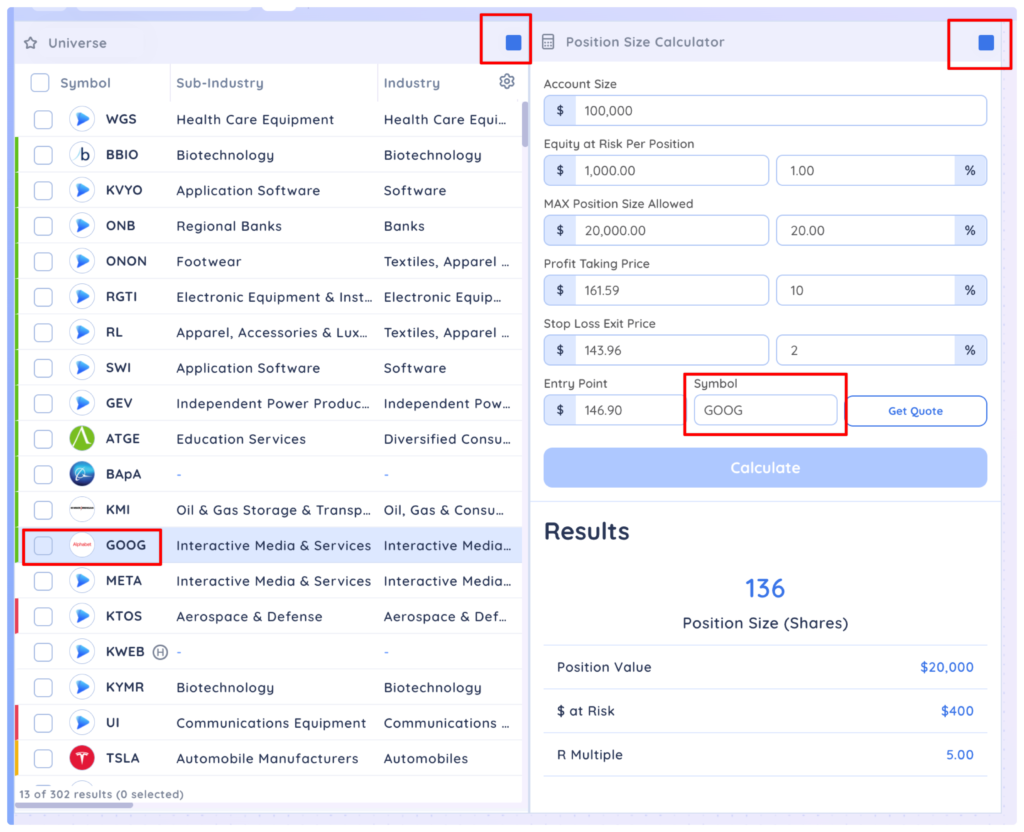
The position sizing calculator dashboard app allows you to enter information about your account, % equity at risk, profit target and stop loss exit to quickly calculate position size, value, R multiple and $ at at risk.
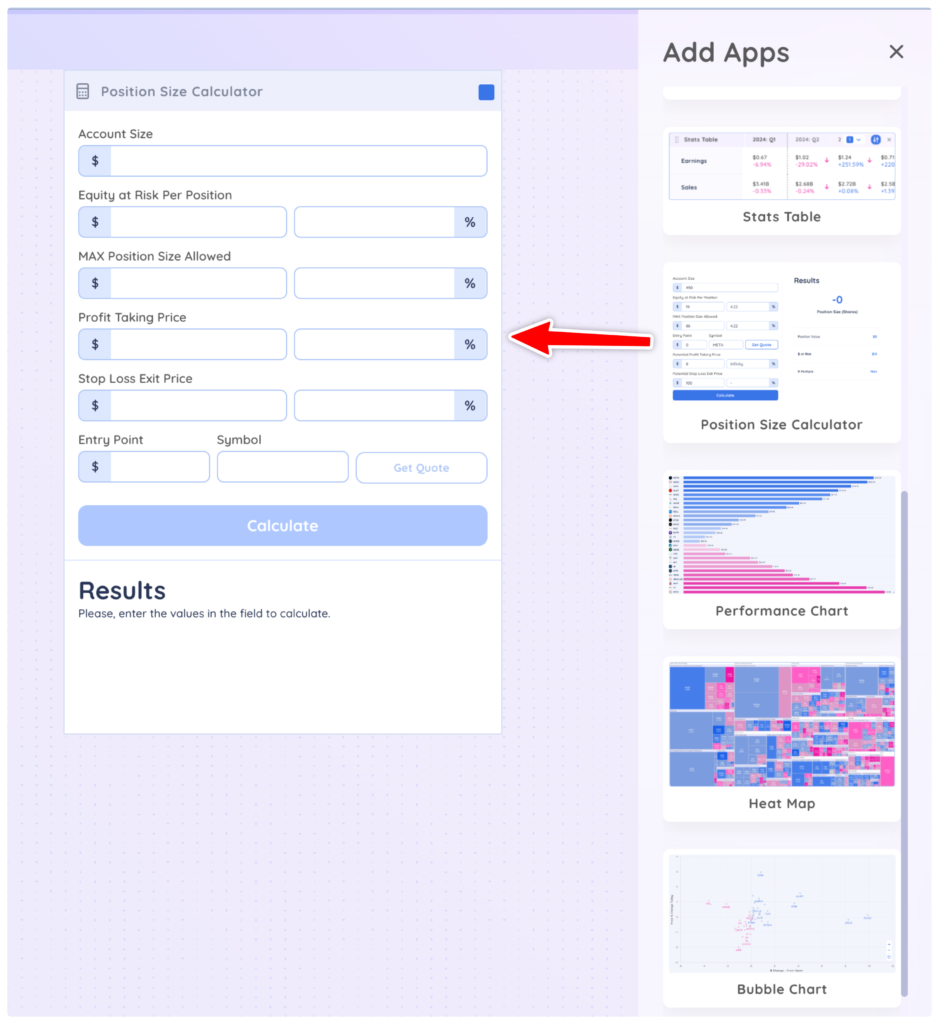
First, drag and drop the ‘Position Sizing Calculator’ app onto your Dashboard from the Add Apps menu.
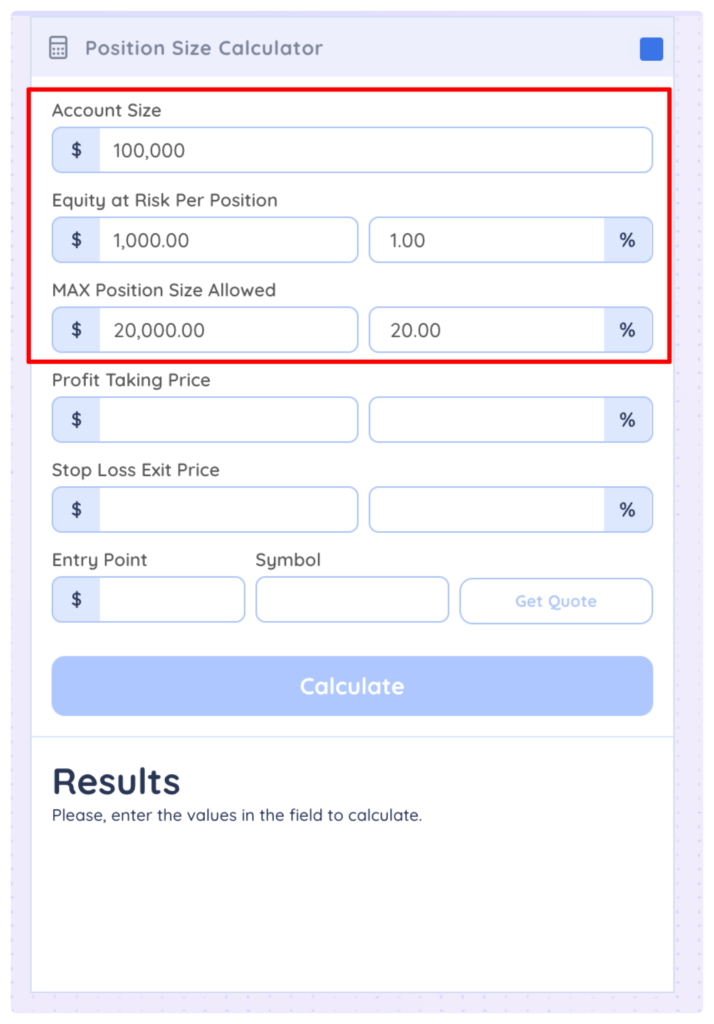
Then enter the information about your account, max equity at risk per position and position size.
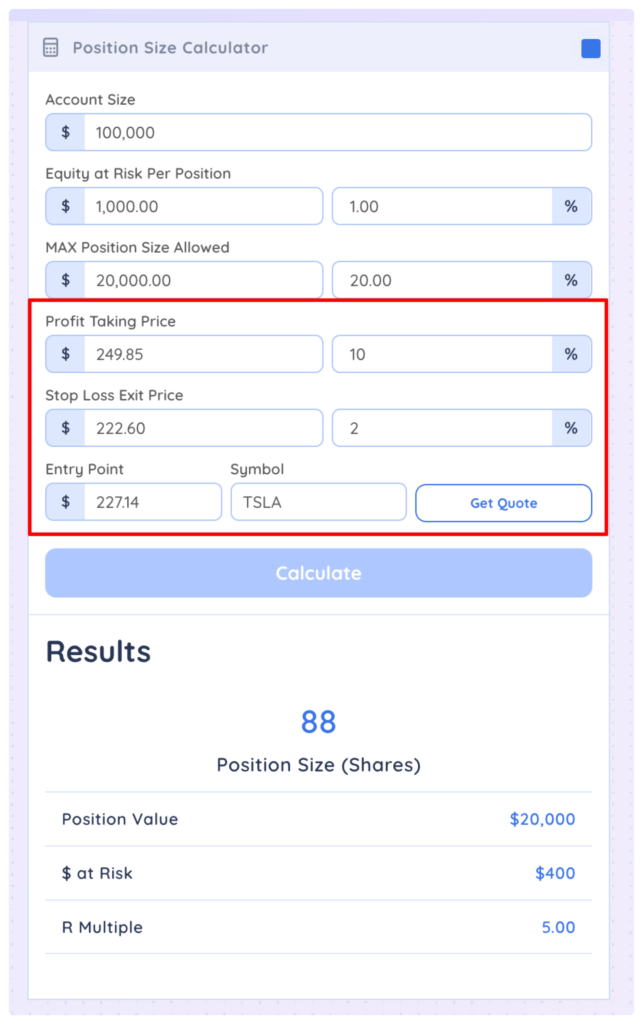
Next, enter optional values for profit taking price and stop loss. Type a ticker into the Symbol field, then click calculate
You can colour group your position size calculator to a watchlist or screener app and the data will automatically be entered into the calculator for whatever symbol you select from the list.